


In today’s world, digital technologies are an inseparable part of our daily lives, and one of the most important standards for communication between devices is USB. USB, which stands for Universal Serial Bus, is a standard that provides a simple and reliable way to transfer data and supply power between different electronic devices. From connecting flash drives and external hard drives to charging mobile phones and connecting printers, USB has become a universal standard.
The history of USB dates back to the early 1990s, when major companies such as Intel, Microsoft, and IBM decided to create a common standard to replace the various complex ports on computers. The main goal of USB was to simplify hardware connections and increase data transfer speeds. Before USB, users had to have a specific port for each device on their computers, and installing drivers and cables was usually complex and confusing. USB introduced Plug-and-Play and automatic device recognition, revolutionizing the user experience.
From the beginning, USB not only enabled data transfer but also provided power for charging and powering small devices. This feature made USB not just a data interface but also the main standard for charging and powering various devices over the years. With technological advancements, different generations of USB have been introduced with varying speeds and capabilities, including USB 1.0, USB 2.0, USB 3.0, USB 3.1, USB 3.2, and USB4. Each new generation offers not only higher data transfer speeds but also features like higher power delivery, video support, and better device compatibility.
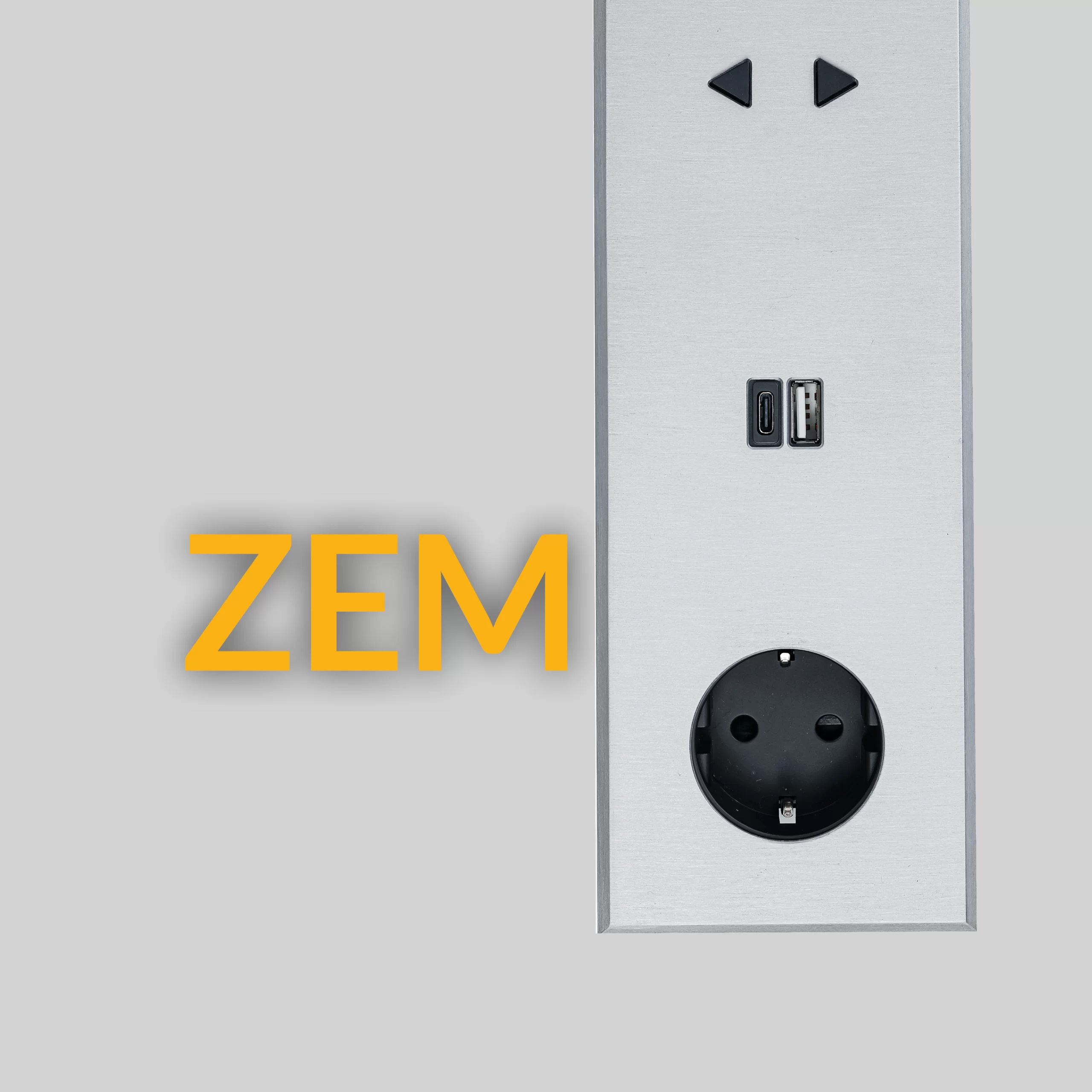
This article provides a comprehensive review of USB ports and connectors, their features and speeds, applications in digital devices, technical considerations, and finally the possibility of using USB and USB-C in modern ZEMGROUP switches and sockets. This complete guide will help you become familiar with USB types and applications, enabling smarter decisions when choosing cables and digital devices.
Understanding Ports and Connectors
To better understand USB types and their applications, it is important to distinguish between a port and a connector. Technically, a port is a physical interface on a device that allows a cable or peripheral to be connected, while a connector or plug is part of the cable that goes into the port, establishing a physical and electrical connection. Simply put, the port is like a “door” on the device, and the connector is like a “key” that fits into it.
Ports and connectors play a vital role in data transfer and power delivery. Without a proper port, even the best cables won’t work, and conversely, without a standard connector, device connection may be unstable or impossible. Each USB port has a specific design that determines which connector type can be used and the data speed and power capacity it supports.
One important feature of USB is backward and forward compatibility. For example, a USB 2.0 cable can work with a USB 3.0 port, but the data transfer speed will be limited to the older generation. This flexibility has made USB a versatile standard, suitable for devices ranging from laptops and computers to TVs, cars, and audio equipment.
Ports and connectors also handle power delivery, which is why the number of pins and power capacity are critical design considerations. For instance, a USB Type-C port can transfer up to 100 watts for charging devices and can also transmit video and audio signals. Choosing the right port and connector directly impacts not only speed and quality but also the safety and longevity of devices.
We will now examine the different USB versions in terms of speed, physical design, and supported technologies to provide a practical understanding of their differences and help in making better choices.
USB Versions by Data Transfer Speed
Since its introduction, USB has evolved through several generations, each offering different data transfer speeds, power delivery, and features. Familiarity with these versions helps optimize device and cable selection.
1. USB 1.0 and 1.1
The first generation of USB was introduced in 1996. These versions operated at 1.5 Mbps (Low Speed) and 12 Mbps (Full Speed). USB 1.1 was an improved, more stable version of USB 1.0. This generation was mainly used for mice, keyboards, and simple devices and provided limited power delivery.
2. USB 2.0
Introduced in 2000, USB 2.0 offered 480 Mbps (High Speed), allowing heavier data transfers. It was compatible with previous devices and provided higher power for charging. USB 2.0 is still widely used in flash drives, printers, and cameras.
3. USB 3.0 and 3.1
USB 3.0, or SuperSpeed USB, launched in 2008, offering 5 Gbps data transfer. USB 3.1 improved this speed to 10 Gbps (SuperSpeed+). This generation also supports higher power transfer and higher current for faster charging.
4. USB 3.2
USB 3.2 introduced multi-lane data paths, achieving speeds up to 20 Gbps. It is commonly used in laptops, SSDs, and professional devices.
5. USB4
The latest USB standard, USB4, is based on the Thunderbolt 3 protocol, enabling up to 40 Gbps data transfer. It uses Type-C ports and supports simultaneous data, video, and power transfer, with high compatibility with USB 3.2 and Thunderbolt devices.
| USB Version | Year Introduced | Data Transfer Speed | Power Delivery | Compatibility |
|---|---|---|---|---|
| USB 1.0/1.1 | 1996 | 1.5 / 12 Mbps | Low | Limited with later generations |
| USB 2.0 | 2000 | 480 Mbps | Medium | Compatible with USB 1.1 |
| USB 3.0 | 2008 | 5 Gbps | High | Compatible with USB 2.0 |
| USB 3.1 | 2013 | 10 Gbps | High | Compatible with USB 3.0 |
| USB 3.2 | 2017 | 20 Gbps | High | Compatible with USB 3.x |
| USB4 | 2019 | 40 Gbps | High | Compatible with USB 3.x and Thunderbolt |
New USB generations not only offer higher speed but also increased power delivery for fast device charging and high-quality audio/video transfer. These features have made USB the main standard for connection and charging in the digital world.
USB Connectors by Physical Design
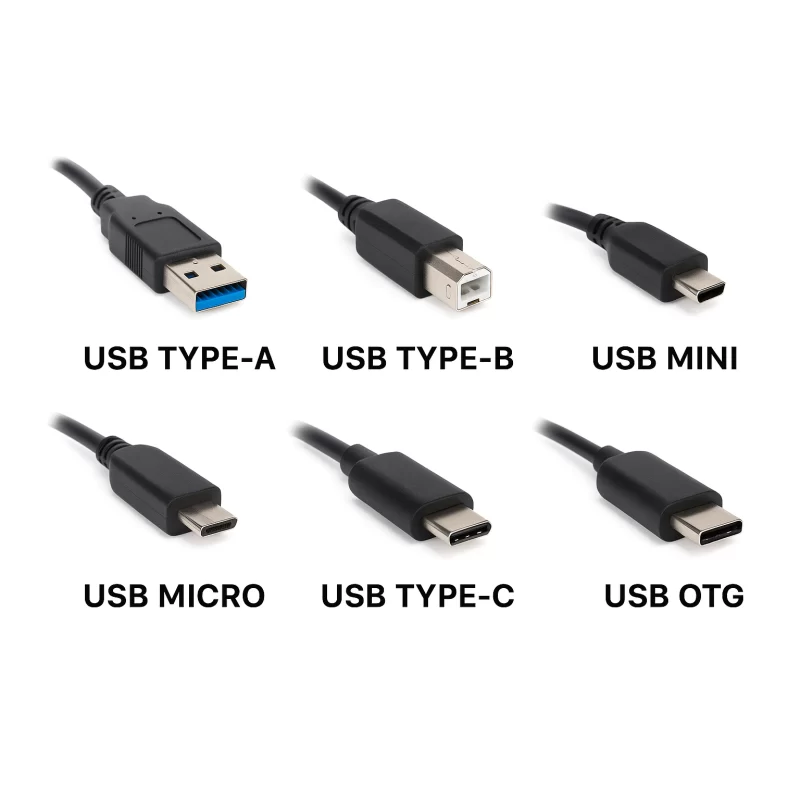
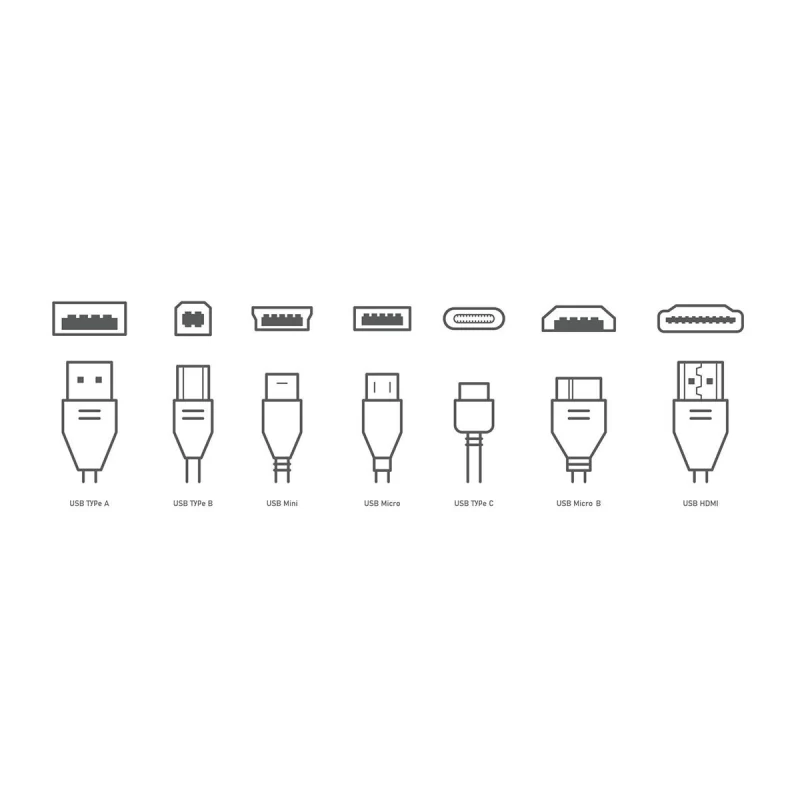
The physical design of USB connectors and sockets determines how cables and devices connect. Each type has unique features for specific applications.
USB Type-A
Type-A is the most common and oldest USB connector, rectangular in shape, and only inserts one way. It is mainly used for flash drives, external hard drives, keyboards, and mice. It is supported across all USB generations, though transfer speed depends on the port.
USB Type-B
Type-B is typically used for printers, scanners, and external hard drives. Square-shaped, it has evolved to include Mini-B and Micro-B for smaller devices.
Mini-USB
Smaller than Type-B, Mini-USB was once used for cameras, MP3 players, and some mobile devices. With miniaturization, it has been largely replaced by Micro-USB.
Micro-USB
Micro-USB, widely used in smartphones, tablets, and power banks, is smaller, more durable, and suitable for data and power transfer but has one-way insertion and lower speed compared to USB-C.
USB Type-C
Type-C is the newest, reversible connector supporting USB 3.1, 3.2, and USB4. It can transfer data, power, and high-quality video/audio, becoming the standard for laptops, mobiles, professional audio/video equipment, and even modern switches and sockets.
USB On-The-Go (OTG)
USB OTG allows devices to act as host or peripheral dynamically, commonly used in mobile phones to connect flash drives or cameras directly.
| Connector Type | Physical Shape | Main Use | Supported Generations |
|---|---|---|---|
| Type-A | Rectangular | PC, Laptop, Flash Drive | USB 1.0 – USB4 |
| Type-B | Square | Printer, Scanner | USB 1.1 – USB 3.2 |
| Mini-USB | Small, square | Camera, MP3 | USB 1.1 – USB 2.0 |
| Micro-USB | Small, thin | Mobile, Tablet, Power Bank | USB 2.0 – USB 3.1 |
| Type-C | Reversible | Laptop, Mobile, Professional Devices | USB 3.1, 3.2, USB4 |
| USB OTG | Usually Micro-C | Mobile, Camera | USB 2.0 – USB3.x |
While each connector has its own advantages and limitations, the trend toward Type-C indicates that most devices and even modern switches and sockets will adopt this standard in the near future.
Technical Structure and Wiring of USB
To fully understand USB functionality, we need to explore cable structure and pin wiring. Each USB cable contains multiple internal wires, each serving a specific purpose.
Pin Counts and Wiring
-
USB 2.0: 4 pins
-
VCC (5V) – Power delivery
-
D- – Data negative
-
D+ – Data positive
-
GND – Ground
-
-
USB 3.0 and above: 9 pins (4 pins from USB 2.0 plus 5 additional for SuperSpeed data)
-
USB Type-C: 24 pins, enabling simultaneous transfer of data, power, video, and audio, reversible connection.
Wire Functions
-
Data wires (D+/D-): Transfer information between devices.
-
Power wires (VCC/GND): Supply electrical energy for charging or powering devices.
-
Additional USB 3.x and Type-C wires: For high-speed data, video signals, and control.
Data vs. Charge-Only Cables
Not all cables transfer data; some are designed only for charging. Using the wrong cable may result in slow data transfer or device non-recognition.
Fast Charging Technologies
New USB generations support fast charging:
-
USB Battery Charging (BC): Higher current than standard USB.
-
USB Power Delivery (PD): Up to 100W, intelligently adjusts voltage and current.
-
Quick Charge: Manufacturer-specific tech for faster mobile device charging.
These features make USB not only a data standard but also the primary standard for charging and powering devices.
USB Type-C and the Future of Digital Connections
Type-C has become the main standard for digital devices with unique features:
-
Reversible connection – insert either side
-
High-speed data transfer – USB 3.1/3.2/USB4, up to 40 Gbps
-
High power delivery – up to 100W for laptops and professional equipment
-
Video/audio support – can carry 4K/8K signals, replacing HDMI/DisplayPort
Comparison with Lightning and Thunderbolt
-
Lightning: Apple proprietary connector; limited speed/power, only for Apple products.
-
Thunderbolt 3/4: Uses Type-C, higher speed/power, supports daisy-chaining. USB4 is compatible with Thunderbolt, making Type-C a global standard.
Applications
-
Laptops and computers: Data transfer and charging
-
Mobile phones and tablets: Fast charging and file transfer
-
Professional audio/video equipment: Monitors, cameras, sound cards
-
Modern switches and sockets: USB and USB-C ports integrated for charging and device connection
USB Charging Standards
USB Battery Charging (BC)
Official standard for USB charging; increases port current up to 1.5A, suitable for small devices like phones and tablets. Maximum power is 7.5W, insufficient for laptops.
USB Power Delivery (PD)
Advanced standard, supports up to 100W or 240W in newer versions. Features:
-
Intelligent voltage/current adjustment
-
Fast and safe charging
-
Supports laptops, mobile phones, tablets, and professional equipment with a single cable
Quick Charge and Similar Technologies
Manufacturers like Qualcomm use Quick Charge to increase voltage/current, reducing charging time. Usually compatible with USB PD.
Standard vs. Fast Charging
-
Standard: Constant current, limited power, safe for small devices
-
Fast: Higher voltage/current, shorter charging time, supports large devices like laptops
Choosing the correct cable and port is crucial. Non-standard cables can slow charging, overheat, or damage devices.
USB Ports in Devices and ZEMGROUP Switches & Sockets
USB and USB-C ports have become integral in daily life, not only in computers and laptops but also in TVs, game consoles, cars, and audio equipment.
Applications
-
Computers/laptops: Flash drives, external drives, peripherals, device charging
-
TVs/game consoles: Flash drives, external drives, controllers, data transfer
-
Cars/audio systems: Phone charging, USB drives
-
Wall chargers/power banks: Fast charging, suitable power delivery
USB in ZEMGROUP Switches & Sockets
ZEMGROUP products allow installation of USB and USB-C ports inside switch and socket frames. This enables charging without separate adapters or additional space on desks.
Benefits:
-
Minimal and luxurious design
-
Safe and fast charging with USB PD
-
Compatibility with all styles and renovations
-
Flexible cable usage: USB-A, USB-C, fast charging cables
This innovation enhances user experience and integrates seamlessly into interior design.
Future of USB
With increasing demand for faster, higher-power, and multi-function data/power transfer, USB continues to evolve.
-
USB4 and new standards: Up to 40 Gbps, Type-C, simultaneous data/video/power, compatible with USB 3.2 and Thunderbolt 3
-
Gradual phasing out of old ports: USB-A and Micro-USB will decrease, simplifying user experience
-
Applications: Laptops, mobile devices, monitors, smart switches, and modern sockets
New USB generations reduce the need for multiple cables/adapters, enabling a single cable for charging and data. This allows luxurious and functional switch/socket designs in interior spaces.
Key Takeaways
-
USB is a global standard for data and power transfer, evolving from USB 1.0 to USB4.
-
USB generations vary in speed and power; USB4 supports simultaneous data, video, and power transfer.
-
Connectors include Type-A, Type-B, Mini, Micro, and Type-C; Type-C is the future standard.
-
Internal wiring and pin structure are critical for safe data transfer and charging; non-standard cables can damage devices.
-
Charging standards like USB BC and PD enable fast and safe charging; correct cable and port selection is essential.
-
USB is used in devices and ZEMGROUP switches, allowing integrated USB/USB-C ports for convenience and aesthetics.
-
USB’s future focuses on Type-C and USB4, phasing out older ports, increasing speed, power, and simplifying usage.
FAQ
1. What is the difference between USB and USB-C?
USB-C is a connector type supporting USB 3.1, 3.2, and USB4, featuring reversible connection, higher speed, more power, and video/audio transfer capability.
2. Are all USB cables suitable for fast charging?
No. Only cables supporting USB PD or Quick Charge enable fast charging. Non-standard cables can slow charging or damage devices.
3. What types of ports do ZEMGROUP switches and sockets have?
They allow USB and USB-C ports to be installed inside frames, enabling safe and fast device charging without separate adapters.
4. Is USB4 compatible with older generations?
Yes, USB4 is compatible with USB 3.2 and Thunderbolt 3, though data transfer speed is limited to the slower generation.
5. What are USB applications at home and work?
Charging mobile/tablet, data transfer, peripheral connection, wall chargers, and modern switches.
6. Are non-standard cables dangerous?
Yes, they can slow data transfer, overheat cables, damage ports, and reduce device lifespan.

